AirID tags and AirRelay relays#
Updated October 14, 2026 For installers
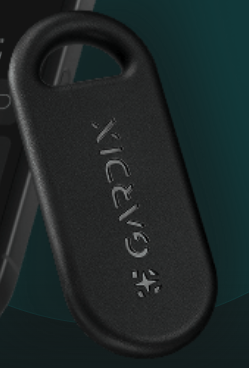
AirID tags and AirRelay relays communicate with the central unit over Bluetooth with AES-256 encryption. For the unit to recognize them, each device must be added. You can do this on the configuration website or with the Service button.
The relay wiring diagram is on the Wiring diagrams and connector pinouts page.
Before adding, make sure that:
- the AirID tag and its battery are unpacked and at hand;
- the AirRelay relay is connected to the car and powered from the ignition;
- the Service button is assigned.
On the configuration website#
Adding#
- Turn on the ignition and authorize.
- On the configuration website, open the Devices tab.
- In the add list, select the device. The system starts giving double short beeps: it's in adding mode.
- Add the device:
- AirID tag — insert the battery into the tag; the blue LED on the board starts blinking. Press the brake pedal;
- AirRelay relay — press the brake pedal.
- Wait for the tune and release the brake. The device appears in the list on the Devices tab.
A long beep means the device wasn't added because the time for adding ran out. Repeat the procedure.
Removing#
- Turn on the ignition and authorize.
- On the Devices tab, click the trash icon
 next to the device. You'll hear a double beep: the system is ready to remove it.
 - Press the brake pedal and wait for the tune. Release the brake. The device disappears from the list.
Via the Service button menu#
Enter menu 12 and select an item.
| Item | Action |
|---|---|
| 1 | Add an AirID tag |
| 2 | Remove all AirID tags |
| 3 | Add an AirRelay relay |
| 4 | Remove all AirRelay relays |
Adding a tag (item 1) or a relay (item 3)#
- Press and hold the brake pedal. The system reports how many devices of this type are already added: the number of short beeps = the number of devices; one long beep means there are none.
- While holding the brake:
- tag — insert the battery into the tag; the LED starts blinking;
- relay — just wait.
- Within 30 seconds, a tune plays: the device has been added.
If there's no tune, start again. To add another device, repeat the procedure.
Removing (items 2 and 4)#
Press and hold the brake pedal. Within 30 seconds, a tune plays: all tags or all relays have been removed.
AirID tag battery#
The tag runs on a CR2032 battery for about 6 months, depending on how intensively it's used. When the battery is low, the owner gets a "Tag discharged" notification.
To replace the battery, carefully open the housing through the slot at the bottom. Reassemble the tag in reverse order:
- Place the front part of the housing logo side down.
- Insert the board components side up until the latches click.
- Place the battery positive side up.
- Cover with the back part and press until it closes.