How to share access to your car#
Updated October 14, 2026
You can give family members or other drivers access to your car. They control the car from their own Gardix app, without your password and without the codes from the Customer Card.
The person you share the car with must have a Gardix app account.
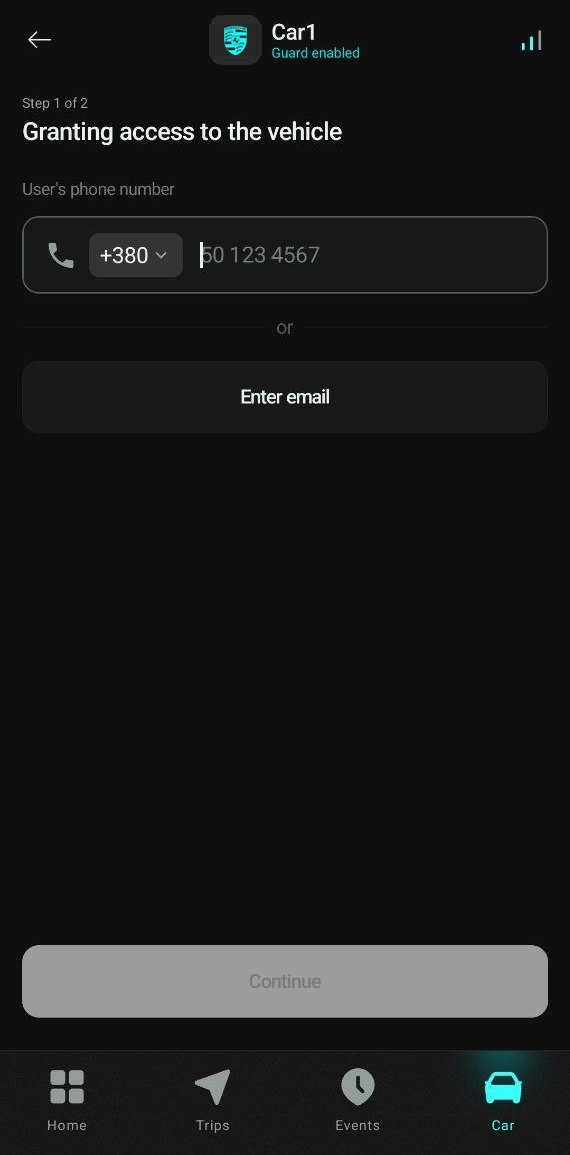
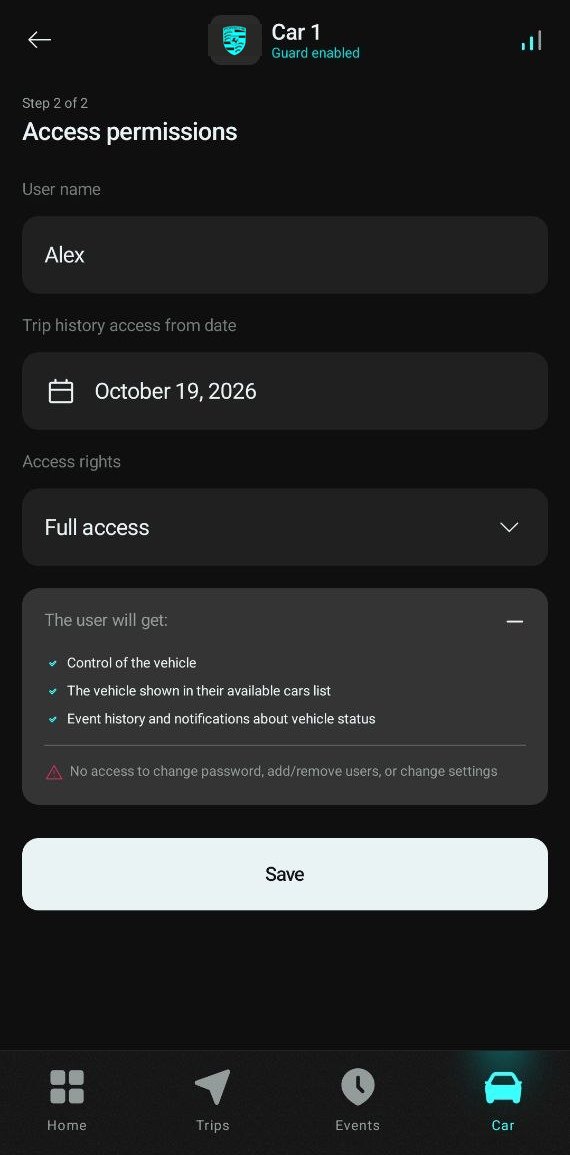
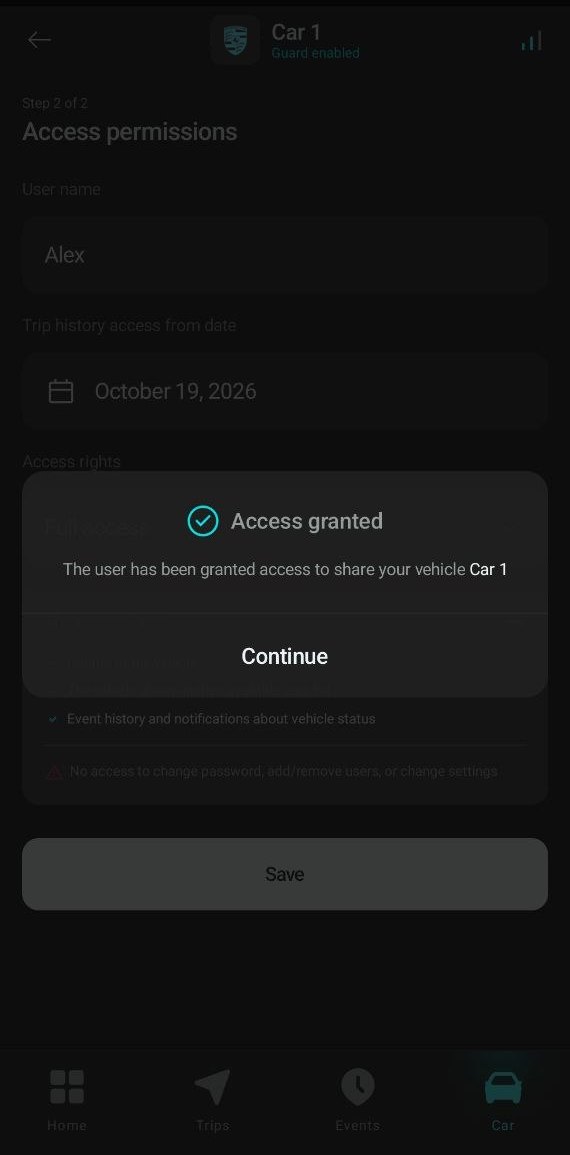
To share access:
- Open the
 Car tab and go to the Shared access manager.
 - Tap Add user.
- Enter the user's phone number, or tap Enter email. Tap Continue.
- Enter the User name.
- Choose the Trip history access from date: the user won't see trips made before it.
- Choose the Access rights:
- Full access: control the car, view events, get notifications;
- View only: view the car and events, without control.
- Tap Save, then tap Continue in the Access granted message.
Users with shared access can't change the password or car settings, or add and remove other users. The number of users with access is shown in the top right corner of the car card.
The car appears in the user's app in the Car manager, in the In use list.
To change a user's rights or revoke access, open the Shared access manager and tap the user.