How to give a service station access without GSM and PUK codes#
Updated October 14, 2026
A service technician or installer sometimes needs access to the security system settings. Don't give them the GSM and PUK codes from the Customer Card: generate a temporary SAC code (Service Access Code) in the app instead.
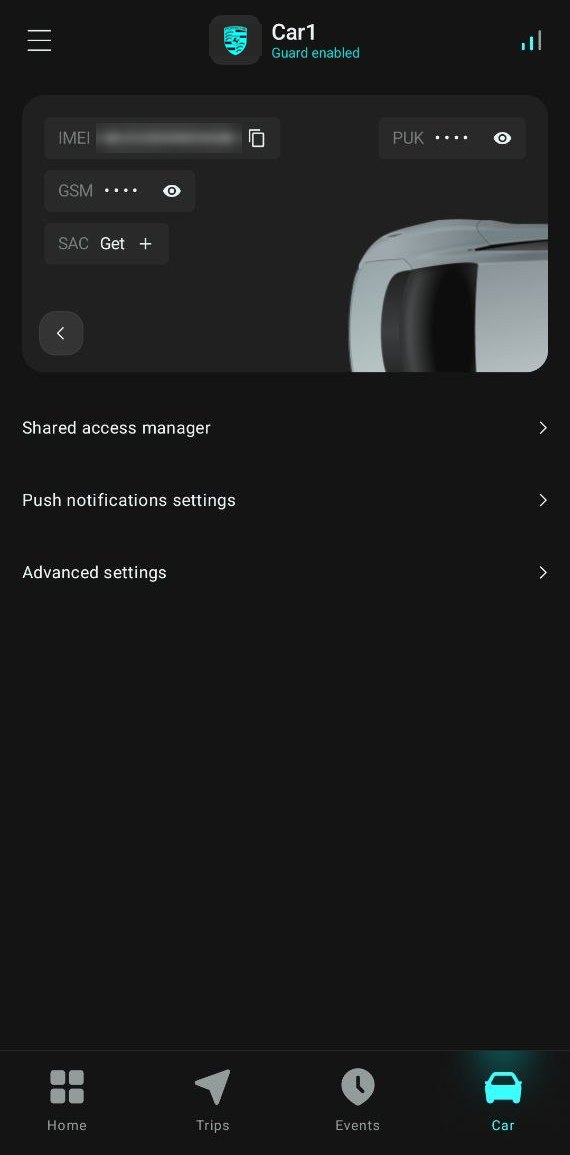
To give access:
- Open the
 Car tab and tap the arrow
  on the car card.
 - Next to SAC, tap Get. The app generates a random code.
- Give the technician two values: the IMEI (the
 icon next to it copies it) and the SAC code.
The SAC code is valid for 12 hours and then expires automatically. To revoke access earlier, tap the trash icon  next to the code.
Leaving your car for servicing?
Also turn on service mode so you don't have to give the technician your AirID tag or PIN code.