How to block the engine remotely#
Updated October 14, 2026
Engine lock forcibly prevents the car from being driven. While the block is on, the car can't move off even after authorization with an AirID tag or a PIN code. Use it if your car has been stolen or you don't want anyone to use it.
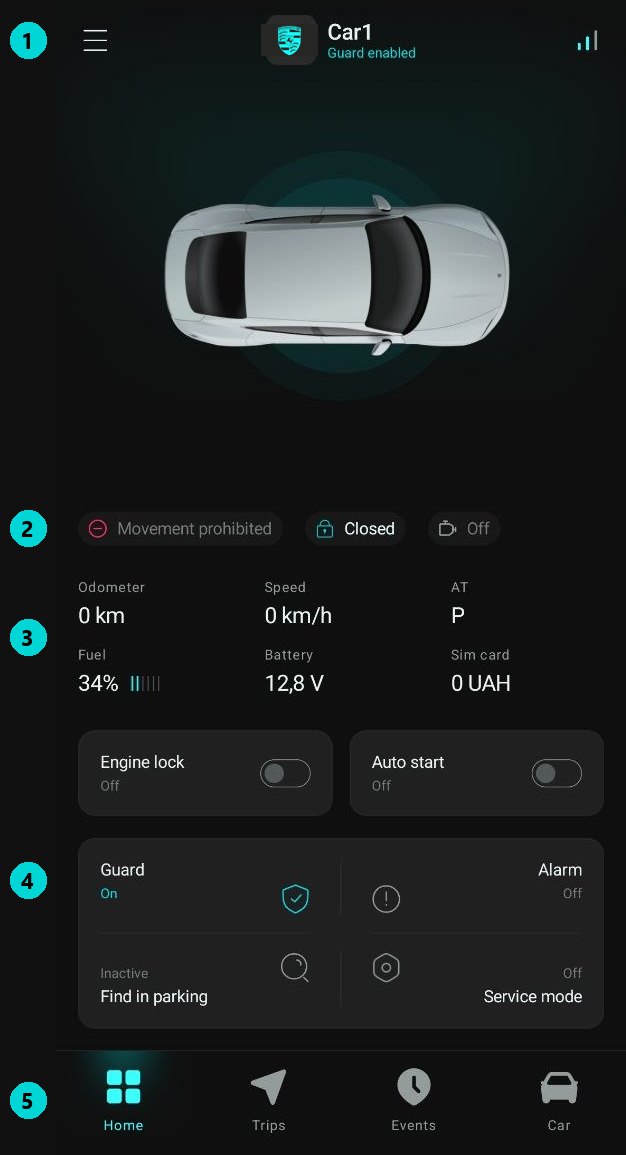
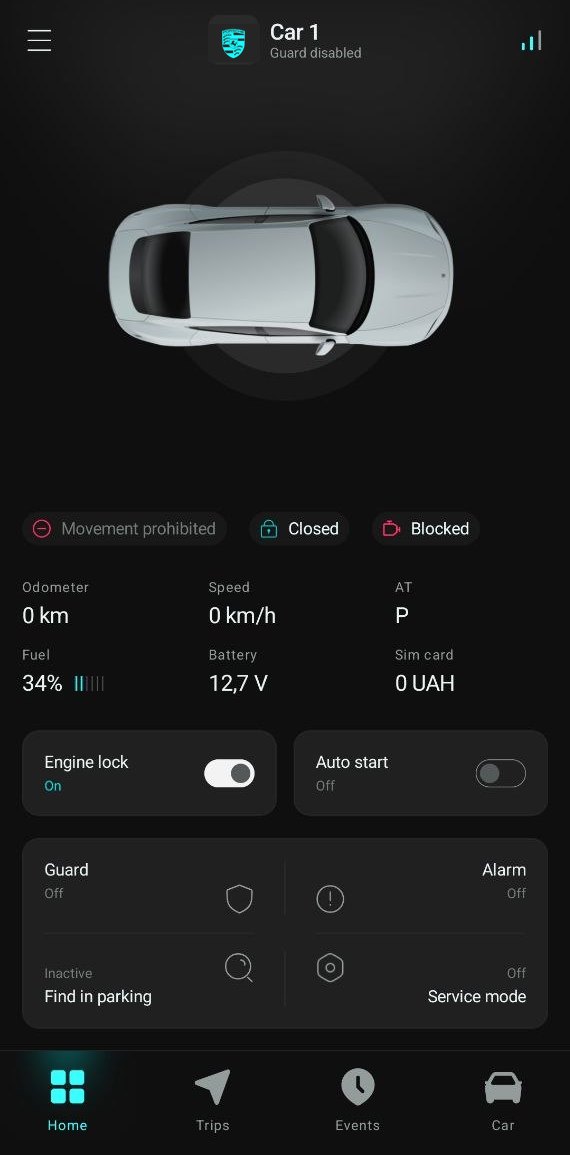
To block the engine:
- Open the main screen of the Gardix app.
- Tap and hold the Engine lock button until the countdown at the top of the screen ends.
- Wait for the car to respond: the switch on the button moves to "On" and the engine status changes to
 .
.
To remove the block, tap and hold the button the same way.
Safe blocking
Safe blocking is on by default. If the car is moving, the system doesn't stop the engine immediately: it waits until the speed drops to 0 km/h. After that, the car can't move off again.
If someone tries to drive the blocked car, you get a Movement blocked notification.
How blocking differs from authorization#
Even without Engine lock, the security system won't let a driver who hasn't been authorized drive off: the status is  . Engine lock is for stopping even a driver who has a tag or knows the PIN code.