How to change the app language on Android#
Updated October 19, 2026
The Gardix app is available in several languages, including English and Ukrainian. By default, it uses your phone's language. On Android, you can choose a language just for the app without changing the system language.
To change the language:
-
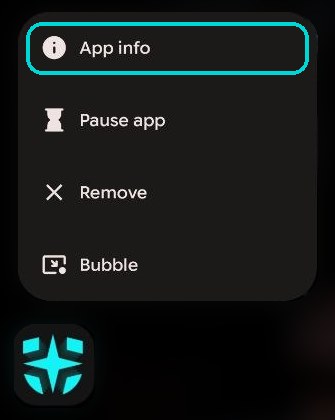
Touch and hold the Gardix icon on your phone's home screen. In the menu, select App info.
-
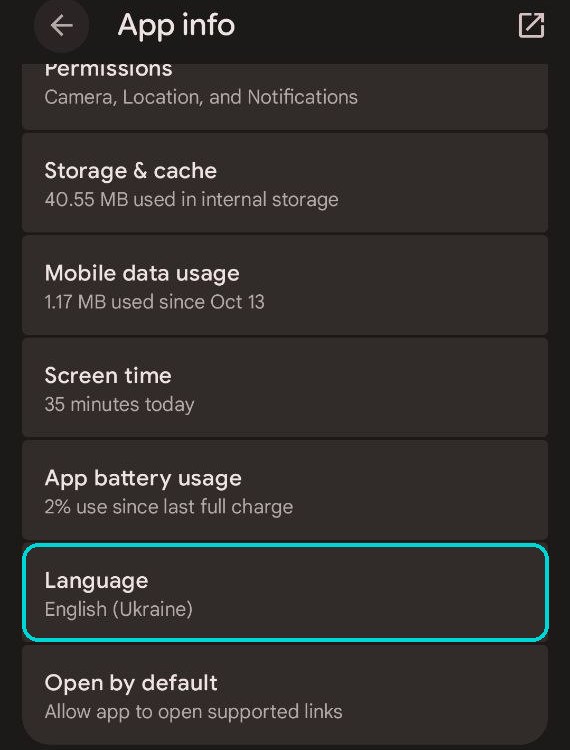
Open Language.
-
Select the language you need, for example English or Українська (Україна). To make the app follow the phone's language again, select System default.
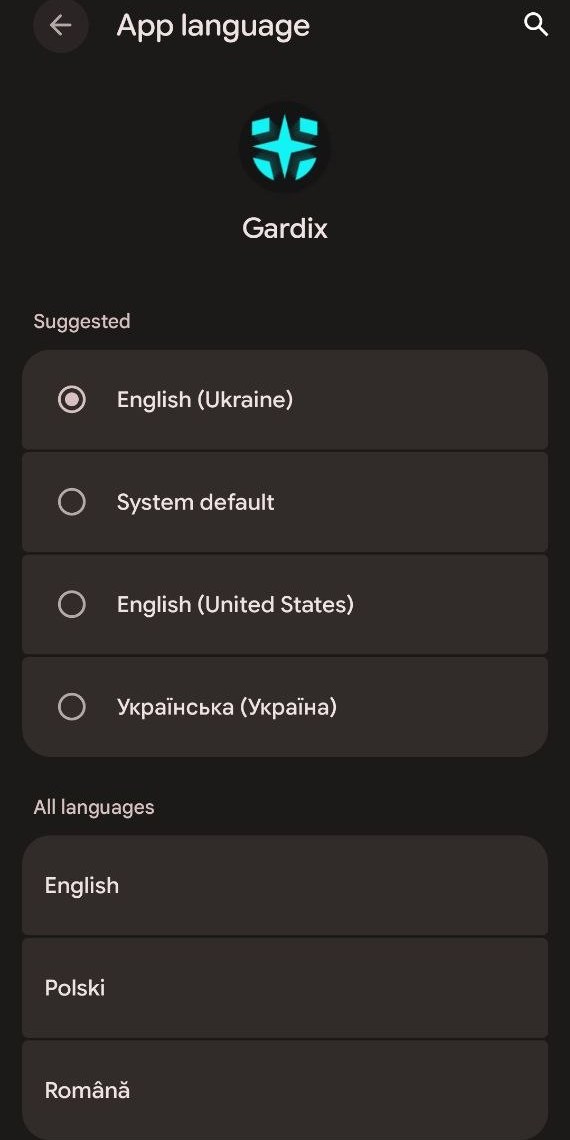
Open Gardix: the interface is now in the selected language.
No Language item?
Item names may differ slightly depending on your phone model. If there is no Language item, your Android version doesn't support per-app languages. In that case, change your phone's language in the system settings.